Type Builder
Types describe the shapes your API sends and receives. The Type Builder is the leftmost rail in the app; every endpoint's params, bodies, and responses are built out of these.
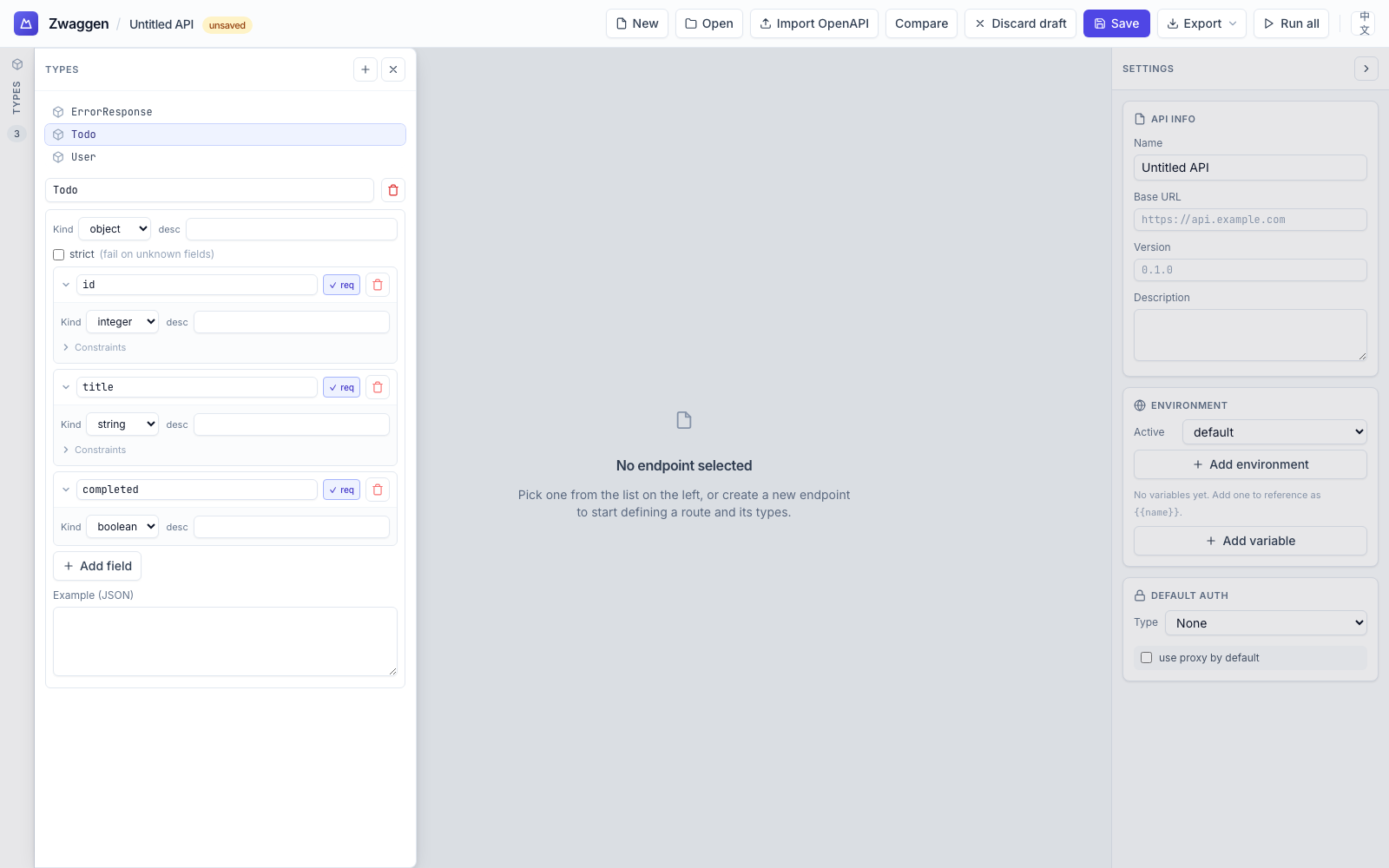
Primitives
- string — optional
minLength,maxLength,pattern(regex),enum(list of allowed literals). - number — floating-point. Optional
min,max,enum. - integer — whole numbers. Same constraints as
number. - boolean —
trueorfalse. - null — the literal
null. - literal — a single concrete value (
"active",42,true,null). Useful inside unions as a discriminator.
Composites
Array
array wraps any element type. Optional minItems / maxItems. An example on an array pre-fills the Run panel with sample data.
Object
object is a named bag of fields. Each field has a name, a type, a required flag, and an optional description. Set strict to reject responses that carry fields your spec doesn't know about — useful when you want to catch silent backend additions.
Objects can extend one or more parent object types. The editor shows an Extends chip picker above the fields list plus an Inherited fields panel with per-field Override actions. See Type Inheritance for the full flow.
Union
union is a list of variants. A value validates if it matches any variant. Pair with literal discriminators for tagged unions:
{
  "kind": "union",
  "variants": [
    { "kind": "object", "fields": [{ "name": "status", "required": true, "type": { "kind": "literal", "value": "ok" } }, { "name": "data", "required": true, "type": { "kind": "ref", "ref": "Todo" } }] },
    { "kind": "object", "fields": [{ "name": "status", "required": true, "type": { "kind": "literal", "value": "error" } }, { "name": "message", "required": true, "type": { "kind": "string" } }] }
  ]
}
Ref
ref points at another type by name. Cycles are allowed — a TreeNode object with a field of type array<ref:TreeNode> is fine; the runtime validator detects cycles at descent time.
Examples
Any composite (or array / string) can carry an example value. When you open the Run panel for an endpoint whose request body references a type with an example, the body textarea pre-fills with the example. This is the fastest way to sanity-check a request shape.
Delete guard
Deleting a type that's still referenced would silently break endpoints. Instead, the delete action opens a dialog listing every reference — endpoints, other types, request bodies, response types. You have two choices:
- Cancel (default). Remove the references first, then delete.
- Force delete. The type is removed; every reference becomes a validation error highlighted in the endpoint editor until you fix it.
Use Force delete only when you're about to replace the type — otherwise Cancel and refactor.
Row affordances
Each type row in the panel has a 3-dot menu on the right (visible on hover):
- Export — opens the export popover for this one type.
- Duplicate — clones the type with a
Copysuffix (User→UserCopy, thenUserCopy2,UserCopy3if there's a clash). The folder is preserved. - Delete — removes the type. Disabled (with a tooltip explaining why) if the type is referenced anywhere else in the spec; remove the references first.
Where types are stored
Types live at the top level of the spec file as a name-keyed object. When a type sits in a folder, its key includes the path (e.g. auth/User). See Folders for how paths work and Core Concepts for how types relate to endpoints and environments.