Assertions & Response Chaining
Two features that share a tab in the editor: Assertions check a response meets your expectations, Chaining captures values for the next request.
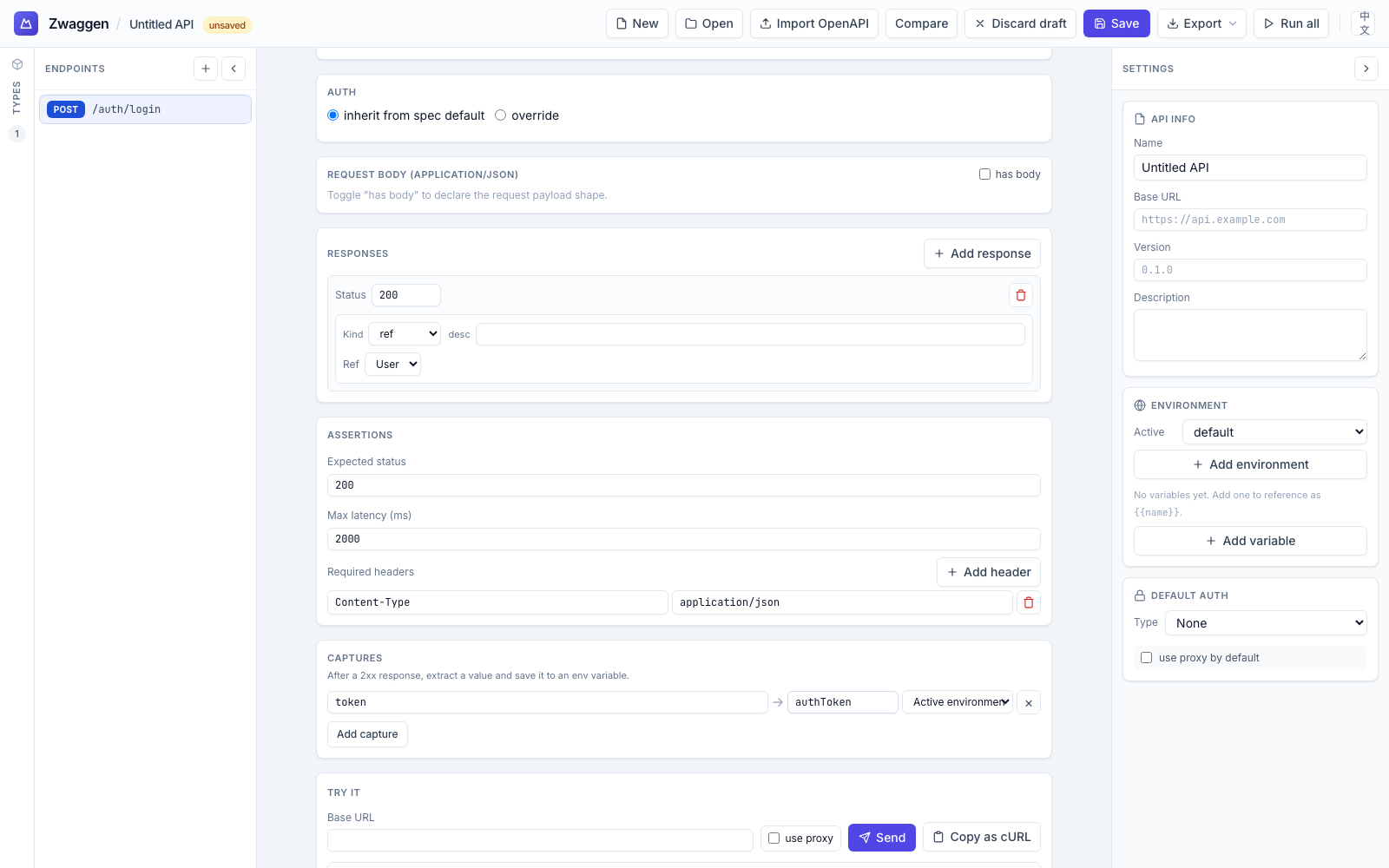
Assertions
Open an endpoint, click the Assertions tab. You can declare:
- Expected status — a single numeric status (e.g.
200). If the server returns anything else, the run is marked failed even if the body validates. - Max latency — milliseconds. Run fails if first byte takes longer.
- Required headers — name/value pairs the response must carry. The check is exact match on value.
A run passes only if:
- the body validates against the response type for the returned status (see Running Requests), AND
- every assertion passes.
Failing assertions are listed in the Response tab under a red "Assertions failed" header.
What assertions are not
- Not arbitrary JavaScript — no Postman-style
pm.test(…)scripting. If you need free-form checks, consider the CI-mode CLI (planned in the repo TODO). - Not a full contract suite — they're sanity checks layered on top of the real validator, which is type-driven.
Response chaining
Use case: you log in, the response returns a token, you want the next request to send that token automatically.
Captures write into environment variables — they're not a separate "chain" namespace. Reference the captured value later via the same {{env.<name>}} placeholder you'd use for any env var.
Capture
On the endpoint that produces the value, scroll to the Captures section of the editor and click Add capture. Each row has three fields:
- Path — a dot-path into the response body (e.g.
data.token,items[0].id). Bracket indexing is supported for arrays. - Set var — the env variable name to write (e.g.
authToken). - Env — which environment receives the value. Defaults to Active environment; pick a specific env to write there instead.
After a 2xx response, Zwaggen extracts the value at path from the response body and stores it under env.<setVar> in the target environment.
Reference
In any request — path, headers, or body — use {{env.authToken}}. Same placeholder syntax as any other env var; the only difference is that a capture wrote it.
Typical flow
- Define
POST /auth/loginwith a capture:path: token,set var: authToken. - Define
GET /mewhose headers includeAuthorization: Bearer {{env.authToken}}. - Run
POST /auth/login. The active environment'sauthTokenvariable is populated. - Run
GET /me. TheAuthorizationheader resolves from the env var.
Limitations
- Body only. The path extracts from the response body. Headers and status aren't captureable today.
- Persisted with the env. Captured values live on the environment, so they survive page reloads. To clear one, edit the env variable directly in the environment editor.