Running Requests
Select an endpoint and the Run panel appears on the right. This page covers the Run panel itself; see Assertions & Chaining for the adjacent Assertions tab.
Request tab
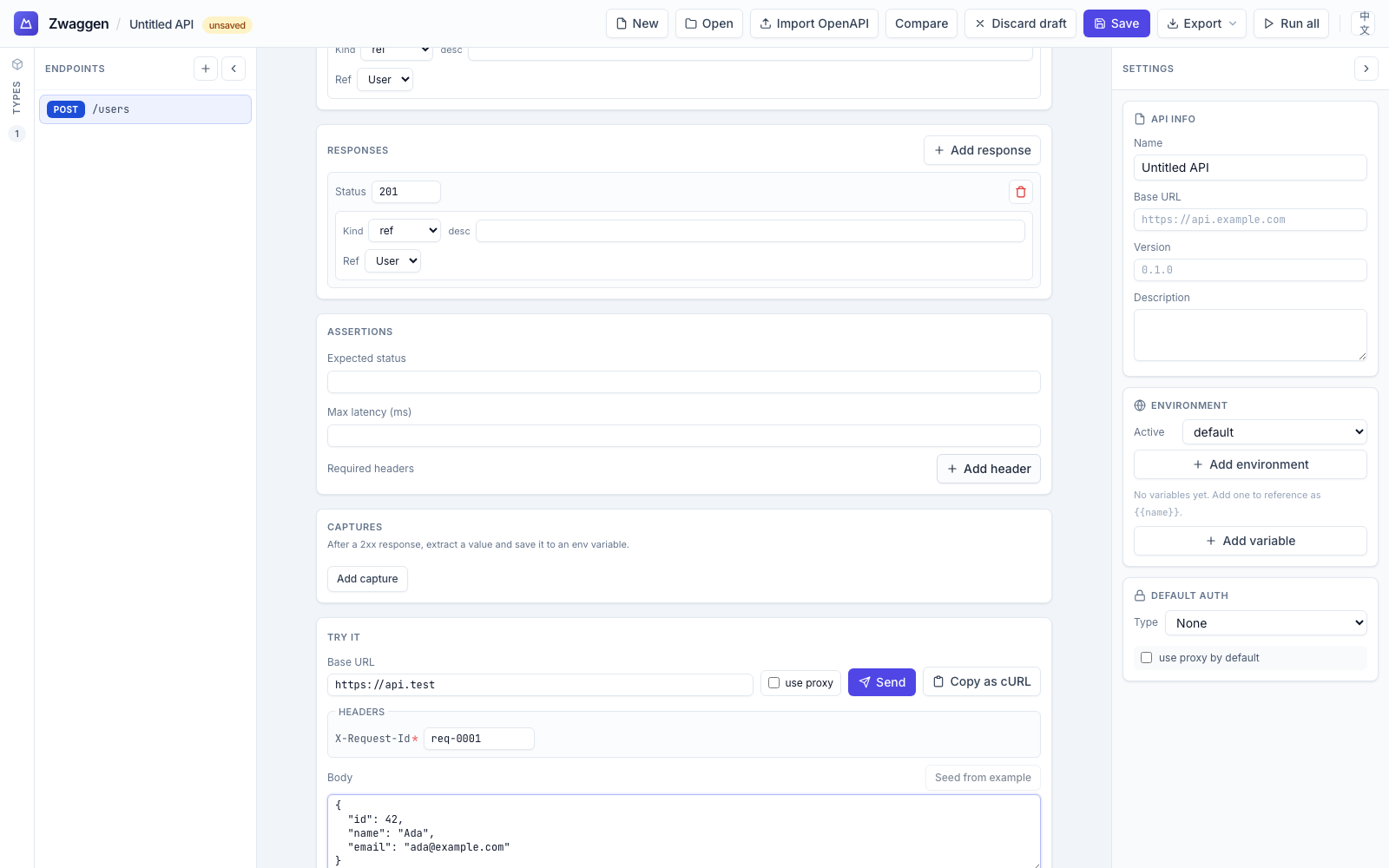
- Method + URL preview at the top: the method badge and the fully-expanded URL (base URL + path, with
{{env.*}}placeholders resolved for the active environment). - Path params — one row per path segment starting with
:. Type values; they're substituted into the URL preview live. - Query params — appended as
?key=value. Each can be toggled on/off without deletion. - Headers — editable list. Environment auth headers are shown greyed (derived, not editable here).
- Body — shown only for methods with a body, and the editor adapts to the endpoint's body type:
- JSON: textarea pre-filled from the body type's
example(see Type Builder). JSON is validated on the fly. - URL-encoded / Multipart: key/value rows (one per declared form field). No JSON typing — fill the values directly. The runner serializes via
URLSearchParamsorFormDataand sets the rightContent-Typeautomatically.
- JSON: textarea pre-filled from the body type's
Placeholders
{{env.foo}}— replaced by thefoovariable from the active environment. Useful for API keys, tenant IDs, and values written by a capture (captures write into env vars).
Placeholders are resolved just before sending; the URL preview shows their resolved form.
Sending
Click Send. The active environment's auth preset is applied, the request fires, and the Response tab opens automatically.
Response tab
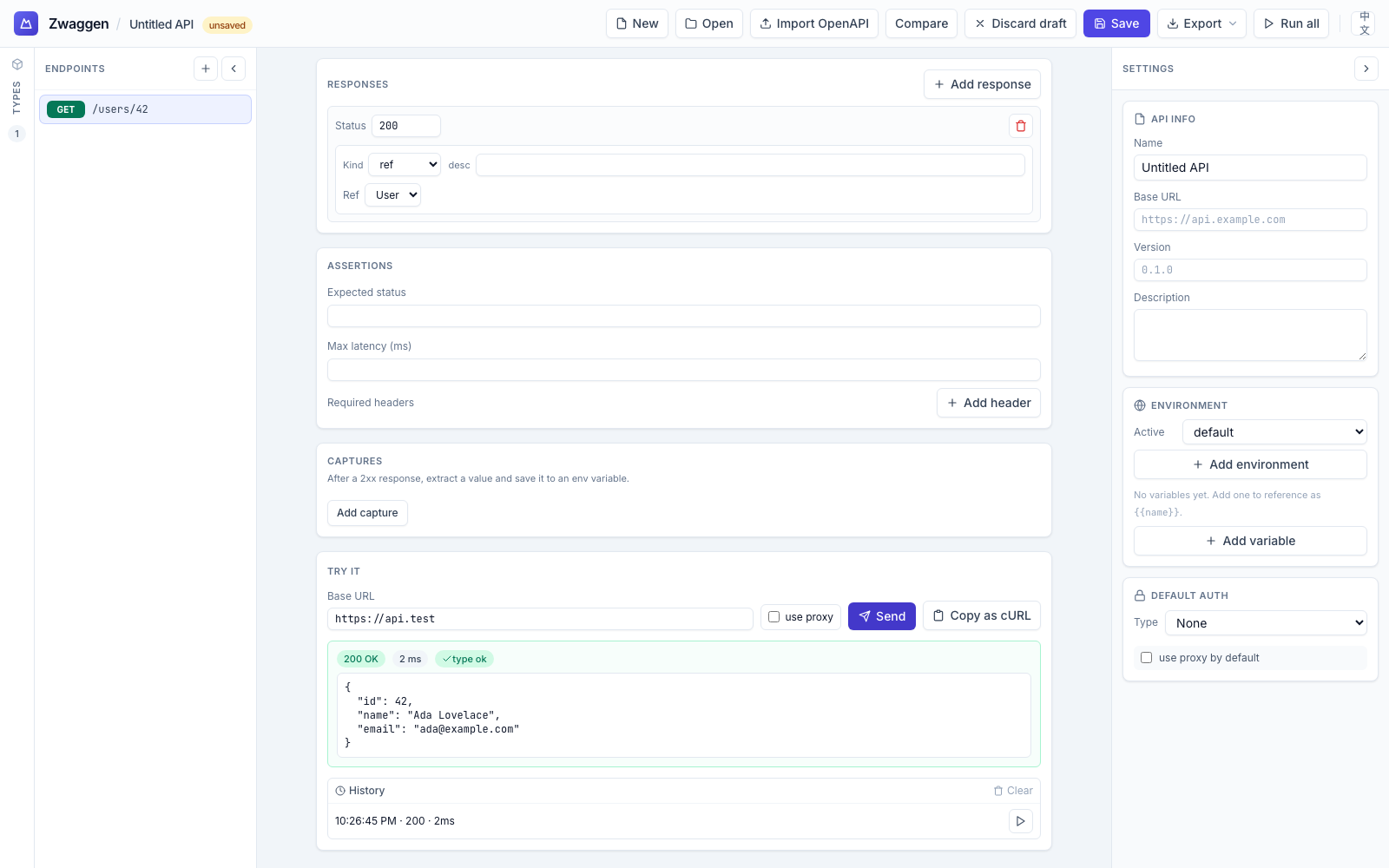
- Status badge — colored by class (2xx green, 4xx amber, 5xx red).
- Latency — milliseconds from send to first byte.
- Validation badge — green "Validates" or red "Invalid" with a count of mismatched fields. Click to jump to the first mismatch.
- Body — pretty-printed JSON by default; toggle to raw or
text/*rendering if the Content-Type isn't JSON. - Headers — full response header list.
- Copy as cURL — a one-liner for the exact request you just ran (see Export & cURL).
The CORS proxy toggle
Modern browsers block responses that don't send permissive CORS headers. If your API isn't CORS-open, flip the Use proxy toggle (top of the Run panel) and the request routes through the local proxy. Since v0.2.0 the proxy is bundled into npx @zwaggen/web — same port as the SPA, no extra install or configuration. (For separate-host setups, run npx zwaggen-proxy and point the spec's proxy URL at it.) See CORS Proxy for the full breakdown.
Every run is recorded
Each successful send lands in History. You can re-open an old run, inspect what you sent + got, and re-send the same request.